
How I Build WordPress Websites for Service Businesses
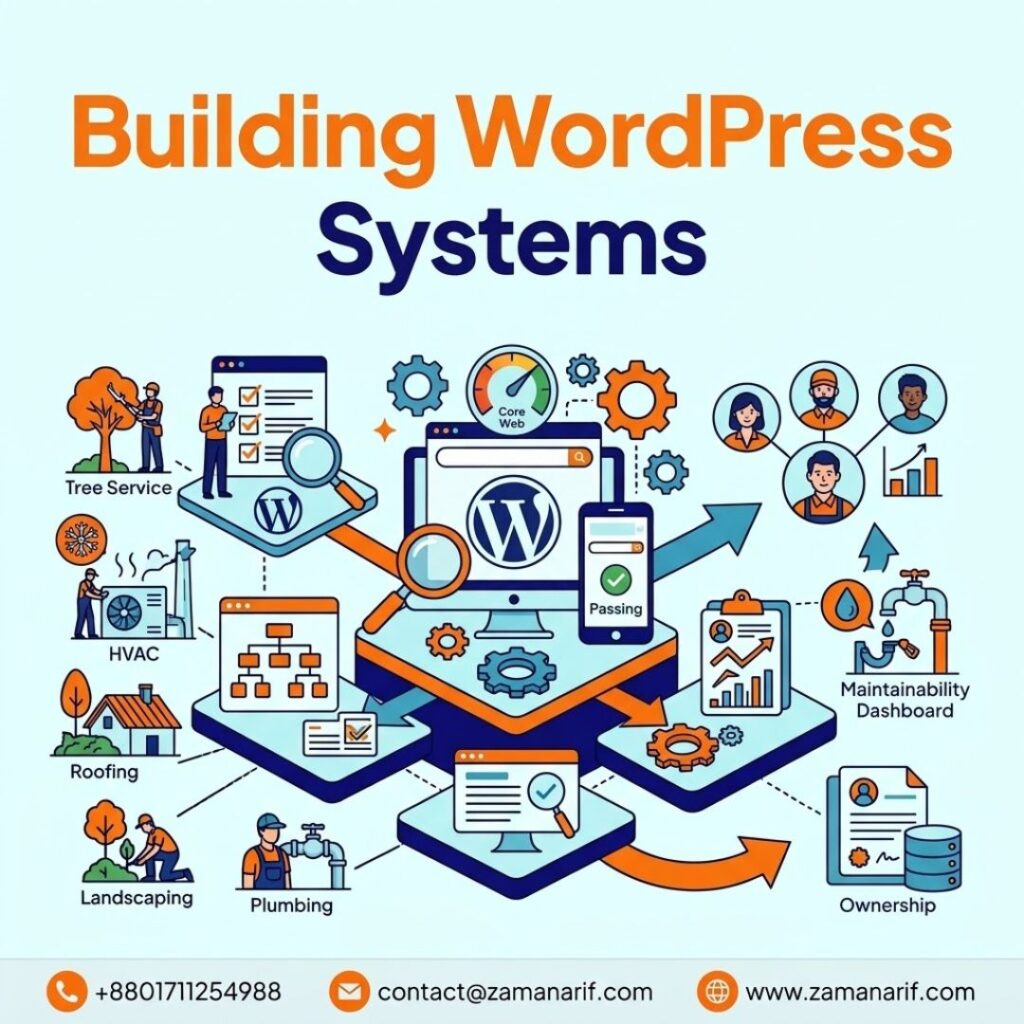
A practical guide to the WordPress-specific decisions – architecture, templates, performance, and ownership – that make a service-business website work long after launch.
I use WordPress when its flexibility, ownership, and publishing workflow genuinely fit the business – not simply because it’s familiar. For a service business, a website has a bigger job than displaying a logo, a few service descriptions, and a contact form. It needs to explain what the company does, make services easy to find, support organic search, work well on mobile, establish trust, and give qualified visitors a clear path to becoming customers.
That’s why I think about development before I think about design. Before deciding what the build should look like, I want to know what the business sells, who it serves, how customers decide, and what the internal team will need to manage after launch – the same groundwork I use for every part of a search-ready site (see: How I Build Search-Ready Business Websites). My goal isn’t a website that looks impressive on launch day. It keeps working for the business months and years later.
What WordPress Development Actually Involves
Building WordPress for a service business isn’t installing WordPress, picking a theme, and adding pages – it’s building a system, and the pieces of that system affect each other. A site can have excellent content and a confusing structure. It can look beautiful and perform poorly. It can load fast and still be impossible for the business owner to update. It can rank for valuable searches and still fail to turn that visibility into qualified inquiries. I don’t treat WordPress development as an isolated technical task – I treat it as the foundation everything else in the strategy depends on.
I Start With the Business, Not the Page Builder
A roofing contractor doesn’t need the same site structure as a professional consulting firm, and an HVAC company doesn’t share a buying process with a B2B service provider. Those differences decide what gets built – which services matter most commercially, where the business genuinely operates, what a customer needs to know before making contact, and what the internal team needs to manage themselves. I map that ground the same way for every project regardless of platform. The point here is narrower: a WordPress build should reflect the business, not force it into a generic template.
The Five Areas I Think About on Every WordPress Project
I organize the technical decisions around five areas that affect each other: Planning, Templates, Performance, Maintainability, and Ownership.
Planning determines what gets built and in what order. Without it, development turns into a series of disconnected decisions – a page gets requested, then another, then another, until the site has dozens of URLs and no real structure. I define the architecture before I create pages, not after.
Templates decide how much room a page has to say what it needs to say. A generic template looks convenient at first, but it gets restrictive fast when different services need different information – one may need process detail, another project examples, another pricing or comparison information. I don’t force every important page into the same layout just because the theme makes that easy.
Performance decides whether a visitor sticks around long enough to use the site. I pay attention to page weight, images, JavaScript, CSS, fonts, third-party scripts, template complexity, and server response and I don’t treat a clean performance score as the whole truth. A good report doesn’t mean much if the page still feels slow on an ordinary phone.
Maintainability means the business can run the site after launch. If changing a phone number needs a developer, or adding a service means rebuilding half the site, the architecture is too rigid. If the internal team is afraid to edit content because one mistake could break the layout, the system has failed them.
Ownership means the business understands and controls what it owns – content, business data, the WordPress installation, hosting and domain access, backups, analytics, and the ability to move providers if it ever needs to. I don’t want a client discovering years later that their website is effectively locked inside someone else’s system.
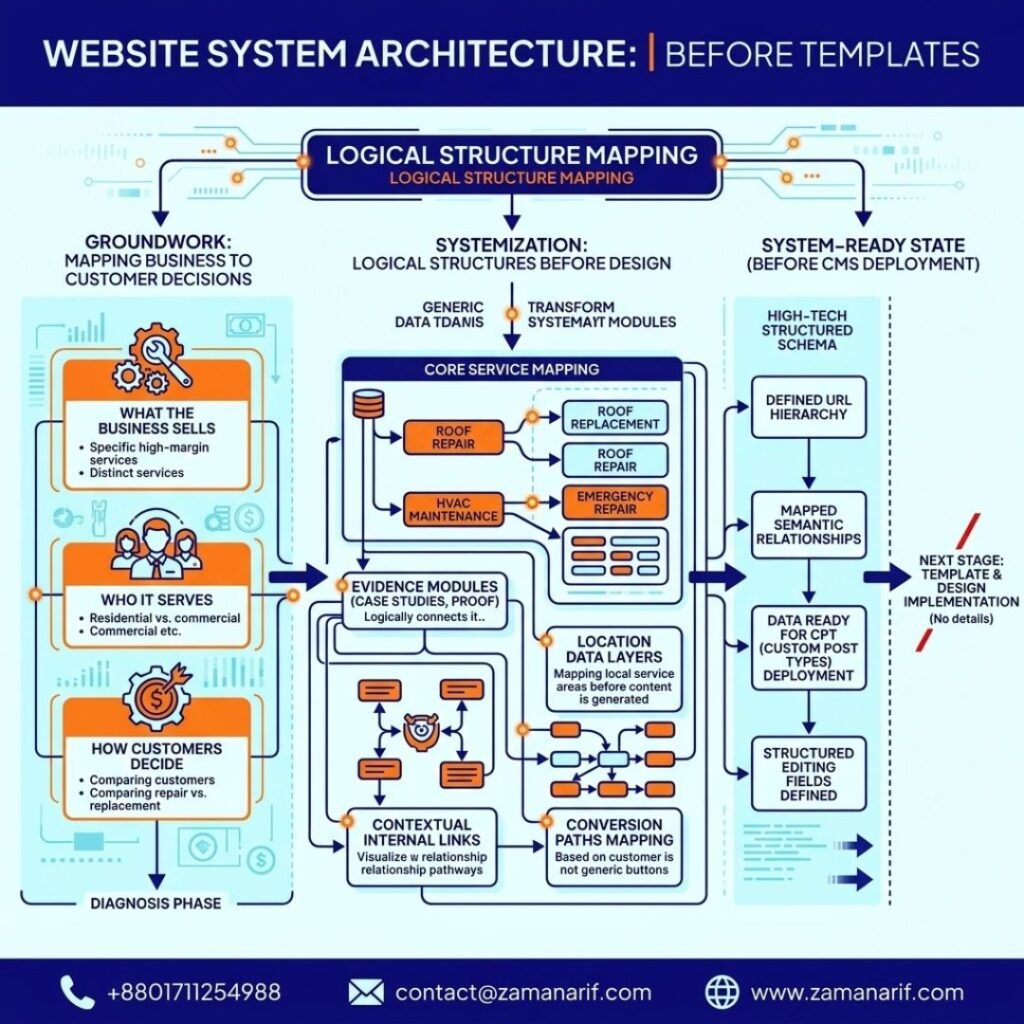
Architecture Before Templates
Before I design a single page, I want to understand how the important information relates – how business, services, supporting content, proof, locations, and conversion connect. That mapping is the same process I use for the site overall; what changes here is translating it into actual WordPress structure: which pieces become custom post types, which become templates, which become reusable blocks. A service page should explain a service. A location page should represent a genuine service area. A case study should provide evidence. That distinction is what keeps the site from becoming a pile of pages built because someone found another keyword.
How I Build the Core Service Structure
The core commercial pages get the most attention. A service page should make it easy to understand what the service is, who it’s for, what problem it solves, what the process involves, what proof backs the claims, and what happens next – not a vague block of marketing language. A roofing service page may need to distinguish repair from replacement. An HVAC page may need to help someone understand when maintenance is enough versus when a bigger repair is coming. A professional-service page may need to lay out process, scope, deliverables, and qualifications. The template has to make room for those differences rather than forcing every service into an identical shape.
Why I Use Custom Templates When the Business Needs Them
Not every WordPress site needs custom development everywhere, but not every important page should be forced into a generic template either. I build different structures for service pages, location pages, case studies, team profiles, and landing pages when the content genuinely calls for it – not to look technically impressive, but because a service page shouldn’t need the same blocks as a case study, and a location page shouldn’t be a service page with a city name swapped in.
I Keep the Editing Experience Simple
Whoever manages the site after launch matters as much as how it’s built. If publishing a new service, updating an address, or replacing a team member isn’t obvious, the site becomes a permanent support ticket. I want editors to know what they can change, where, and what each field controls – which cuts down on accidental design breakage and how dependent the business is on a developer for routine updates.
Reusable Components Without a Rigid Site
Reusable components – service summaries, testimonials, contact blocks, process steps, FAQs, CTAs – save time and keep the site consistent. The risk is over-standardizing: if every page looks identical, the content loses room to say what’s actually different about each service. I aim for consistency where consistency helps, flexibility where the content needs it.
Performance Starts in the Build, Not the Cleanup
I don’t treat performance as a fix-it-later project. Image dimensions and formats, font loading, JavaScript, CSS, third-party services, plugin choices, and page-builder output are decisions I make while building, not problems I optimize afterward – the best performance fix is usually the one I never created. That said, a performance tool’s score isn’t the whole experience. A site can score well and still feel slow on an average phone, so I test the real thing – how quickly meaningful content appears, whether buttons respond, whether forms work smoothly – alongside the Core Web Vitals numbers, not instead of them.
I Keep Plugins Under Control
WordPress’s plugin ecosystem is one of its strengths and one of its risks. I don’t aim for the smallest possible plugin count for its own sake – I aim to avoid unnecessary complexity. Before adding one, I ask what real problem it solves, whether it’s actively maintained, whether something already in the stack solves it, and what performance or maintenance cost it adds. A plugin earns its place; I’d rather run a smaller, intentional stack than a pile of tools each solving a sliver of the same problem.
Security and Maintenance Are Part of the Build, Not an Afterthought
A website isn’t finished at launch. Updates, backups, access control, hosting reliability, monitoring, recovery planning, and form protection need a plan from the start, not a scramble after something breaks. A business website is an operating asset, and it deserves ongoing attention like one.
Protecting Existing SEO Value During a Rebuild
Treating an old website as disposable is one of the more common rebuild mistakes. An existing site may carry rankings, indexed URLs, backlinks, and conversion paths that took years to earn. Before I change the structure, I want to know what’s already working – which pages rank, what redirects a URL change will need, and whether a weak-looking page actually has authority worth preserving rather than replacing. A rebuild should add to that value, not casually erase it.
Mobile First, Where It Actually Matters
A service-business visitor might be searching from a phone in a driveway, a job site, or a parking lot with inconsistent signal, which makes mobile usability a practical business issue, not a design preference. I pay close attention to readable text, touch targets, form usability, click-to-call links, page weight, and content order on small screens. A layout that technically shrinks to fit a phone isn’t the same as one that actually makes sense there.
Useful forms, Not Long
A contact form should collect what actually helps the business respond – not every field that’s technically possible to add. I keep the form proportional to the decision the visitor is making, and I think as much about what happens after submission – who receives it, whether there’s a confirmation, whether the business can tell where it came from – as I do about the fields themselves.
Measurement Built Into the Site, Not Bolted On
I want analytics, tag management, and conversion tracking wired in as part of the build, not added after launch as an afterthought – the same signal-versus-outcome distinction I apply to every project, connected here to the actual WordPress forms, calls, and page templates generating the data.
Diagnosing an Existing WordPress Site
When a business already has a WordPress site, I don’t default to rebuilding it. I audit the plugin stack, the template structure, and the hosting setup alongside the broader business diagnosis I run for any site (see: How I Build Search-Ready Business Websites), and I look for the smallest change that fixes the real constraint – a plugin conflict, a bloated template, an outdated theme – rather than assuming a full rebuild is required.
Two Examples of How This Plays Out
A roofing site with one services page. Twelve services crammed onto a single page, each with two lines of copy. The navigation technically works, but repair, replacement, and inspection are different customer questions getting the same shallow treatment. I’d document the current structure, decide which services have enough commercial weight and distinct enough questions to earn their own page, then build dedicated pages with real connections between them. The result isn’t just more URLs – it’s a structure that matches how the customer actually thinks.
A slow HVAC quote page. A heavy page-builder template and a handful of unnecessary scripts make the page take several seconds to become usable on a phone. Rather than bolt on another optimization plugin, I’d profile the page, find the actual bottleneck – template complexity, oversized assets, a script that doesn’t need to load – and fix that directly. Then I’d measure whether the page got faster and whether that translated into more completed quote requests. A better score is useful. A better outcome is the point.
What I Won’t Do
I won’t default to WordPress if another platform genuinely fits the business better – it’s a tool, not a religion. I won’t build a site only I can maintain; if the business can’t update basic information without calling me, that’s a dependency I created, not a service I provided. I won’t copy a competitor’s design and call it strategy. I won’t install a plugin to patch bad architecture – that usually makes the underlying problem worse. I won’t ignore how a page actually feels on an ordinary phone just because it scores well in a report. And I won’t rebuild an existing site without first checking what’s already working.
When WordPress Makes Sense – and When I’d Question It
WordPress is a strong fit when a business needs a flexible content system, multiple service and location pages, case studies, and the ability to evolve the site without starting over each time. But the platform doesn’t create a successful website by itself – a poorly structured WordPress site is still poorly structured, and a slow one is still slow. I’d question the choice if the business’s actual requirements are better served by a different platform or a more specialized application architecture; I care more about the right fit than about defending a particular CMS.
Who This Is For
This approach fits contractors and home-service businesses – HVAC, roofing, landscaping, plumbing – along with professional service firms and multi-location businesses that want their website to function as a real operating asset, not just a visual identity. It’s less useful for a project where the only requirement is “make it look good” – design matters, but it’s one part of a larger system, not the whole point.
What a Finished Build Should Give You
A clear structure that helps visitors find services, proof, and the next step. Content the team can update without rebuilding anything. Performance that was built in, not bolted on afterward. An architecture that gives important topics a logical place to live. Conversion paths that are obvious when someone’s ready. Full ownership of the content, data, and hosting. And a practical plan for updates, backups, and security after launch – because launch is the start of the next phase, not the finish line.
Frequently Asked Questions
Is WordPress a good choice for service businesses?
Often, yes – when the business needs flexible content management, ownership, and the ability to add service and location pages over time. The right choice still depends on the specific requirements, not a default assumption.
Do I need a custom WordPress theme?
Not necessarily. I use custom development when it solves a real problem; sometimes an existing foundation adapts well, and sometimes the project needs more controlled custom architecture. The decision follows the requirement, not an assumption that custom is automatically better.
Do I need a page builder?
Not automatically. A page builder can help on the right project and add unnecessary complexity or performance overhead on the wrong one. I choose the implementation – Elementor, a block theme, or custom code – based on what the site actually needs to accomplish.
How many plugins should a business website have?
There’s no useful universal number. What matters is whether each plugin has a legitimate purpose, is actively maintained, fits the architecture, and doesn’t add unnecessary risk. A small count isn’t automatically good, and a large one isn’t automatically bad.
Can I manage the website myself after development?
That’s one of the outcomes I build toward. The business should handle normal content and business updates without needing a developer for every small change – the exact level of editing control depends on how the site is built.
Will a new WordPress website improve my Google rankings?
Not automatically. A better technical foundation can remove problems that were limiting search performance, but rankings also depend on content, relevance, competition, and demand. Development is part of the larger search system, not a substitute for it.
How does a WordPress rebuild affect my existing rankings?
It can protect them or damage them, depending on how it’s handled. If URLs change, they need redirects. If a page already ranks well, I improve it rather than replace it blindly. The risk isn’t rebuilding – it’s rebuilding without accounting for what the old site already earned.
How important is website speed for a service business?
Very – because it affects whether someone can comfortably use the site on a phone, and because a slow page that blocks a visitor from completing an action matters more than a performance score in isolation.
Can WordPress support SEO on its own?
The CMS provides a flexible foundation, but it doesn’t create good SEO by itself. Architecture, content, internal linking, and business context still have to be built deliberately on top of it.
What should I prioritize first – design, SEO, or development?
I don’t treat those as separate decisions. I start with what the business needs the website to accomplish, and that determines the architecture, content requirements, technical foundation, and design system together. The order can shift if the evidence points to a different constraint.
My Final Perspective
I don’t measure a WordPress project by page count or how polished the homepage looks on launch day – I measure it by whether the site keeps working for the business afterward. Can the right visitor understand the offer and find the service they need? Can they use it comfortably on a phone? Can the business update its own content without calling a developer? Can the site support the content and SEO work that comes next, and can the team actually measure what happens?
Good development also requires restraint. I don’t add a plugin when a cleaner implementation will do, or a custom component when an existing one already works. I don’t rebuild a site when the current foundation can be improved, or add a page when an existing one already answers the same question. Sometimes the right move is building something new. Sometimes it’s restructuring what’s there, removing unnecessary complexity, or recommending no rebuild at all.
For me, a good WordPress build is fast enough to use, flexible enough to grow, structured enough to support search, simple enough to maintain, and owned by the business – built around what that business and its customers actually need.